

A managed, enterprise-grade AI inbox management subscription is the right route for most mid-to-large organisations that need production-ready email automation without hiring a specialist AI team. Doing it yourself with consumer assistants or in-house scripts tends to stall at the integration and governance stage, exactly where enterprise value actually lives.
Before committing, three things need to be true:
- Time and cost impact: expect measurable time savings within weeks of a pilot, not months, with Gartner projecting that AI will handle or assist with roughly 30% of inbound enterprise email by the end of 2026.
- Security and integration guarantees: runtime isolation, human-in-the-loop approval for high-risk actions, and native CRM/ERP sync must be contractual, not aspirational.
- Operational responsibility: someone other than your existing IT team needs to own day-to-day tuning, monitoring and incident response, which is precisely what a managed subscription is meant to cover.
If those three boxes tick, the fastest way to validate the approach is a short, low-commitment pilot. GMD Automation runs production-ready deployments on exactly this model, and requesting a demo costs nothing more than an hour of your time.
Table of Contents
- What does enterprise-grade AI inbox management actually mean?
- DIY tools versus a managed service: what actually breaks at scale
- How long does a managed AI inbox deployment take?
- What security and compliance controls should you demand?
- Which integrations actually deliver enterprise value?
- What KPIs and ROI should you expect?
- How do you choose the right vendor?
- How can you validate capability before committing?
- Why GMD Automation fits enterprise AI inbox management
- A practitioner's view on what actually derails these projects
- Key takeaways and next steps
- Sources
What does enterprise-grade AI inbox management actually mean?
Enterprise-grade AI inbox management is a managed service that automates triage, prioritisation, drafting and case creation across an organisation's shared and departmental inboxes, then keeps those actions synchronised with your CRM or ERP system. It is not a Gmail add-on or a personal writing assistant. It is infrastructure that sits inside your mail environment and behaves like a disciplined member of staff who never sleeps, never forgets to log a case, and never mishandles a compliance-sensitive thread.
The standard capability set looks like this:
- Triage and prioritisation: sorting incoming mail by urgency, sender context and calendar signals, with enterprise deployments now auto-categorising 50 to 65% of routine business email.
- Summarisation: condensing long threads into a two-line brief so staff don't re-read entire conversation chains.
- Automated draft replies: producing suggested responses for review, or fully automated replies for low-risk, high-frequency queries.
- SLA-based routing: sending time-sensitive messages to the right queue or person automatically, based on service-level rules rather than inbox folder guesswork.
- Case creation with audit trail: turning an email into a tracked, timestamped record rather than leaving it to live and die in a mailbox.
A finance operations team might use this to auto-triage supplier queries and flag anything touching payment terms for manual sign-off. A customer service desk might route complaints above a certain sentiment threshold straight to a senior agent. A sales team might have inbound leads captured, qualified and pushed into the CRM before a rep even opens their inbox.
DIY tools versus a managed service: what actually breaks at scale
Consumer and DIY inbox assistants work fine for one person cleaning up their own mail. They tend to fall apart the moment an organisation asks them to run consistently across dozens of shared inboxes with compliance obligations attached.
| Dimension | DIY / consumer tools | Managed enterprise service |
|---|---|---|
| Data model | Ad hoc, inconsistent across users | Standardised schema validated against your systems |
| Audit trail | Rarely exists in usable form | Built in, timestamped, exportable |
| Integrations | Shallow, often just the mail client | Native CRM, ERP, ticketing and SSO |
| Support | Community forums or none | SLA-backed incident response |
| Cost visibility | Hidden in per-seat licences and rework | Fixed subscription covering ops |
The operational risk with DIY setups isn't that they fail outright. It's that they fail quietly. A fragile integration script breaks after a mail server update, nobody notices for three weeks, and by the time it surfaces, dozens of customer emails have gone unrouted. There's no audit trail to reconstruct what happened, which is a serious problem if a regulator or an internal auditor asks.
Pro Tip: If your shared inboxes handle regulatory correspondence, high-value customer complaints, or anything with an SLA clock attached, skip the DIY phase entirely and go straight to a managed pilot. The cost of a broken audit trail during an FCA or ICO enquiry dwarfs the price difference between a script and a proper subscription.
How long does a managed AI inbox deployment take?
Most managed deployments run pilot to full rollout in a couple of months, priced as a subscription with implementation and ongoing operations bundled in rather than billed as a separate project fee.
- Discovery (week 1 to 2): mapping current inbox volumes, existing tools, and the CRM/ERP systems that need to connect. Output: a scoped integration plan and success metrics.
- Pilot (week 2 to 5): a single high-volume shared inbox, or one department, running live with human review on every automated action. Output: accuracy figures, time-saved data, and a go/no-go decision.
- Integration (week 4 to 7, overlapping pilot): connecting the agent to CRM, ticketing and identity systems. Output: working data sync, tested end to end.
- Training and change management (week 6 to 8): adjusting response templates, escalation rules and staff workflows. Output: a trained team and documented processes.
- Rollout (week 8 to 10): extending from pilot scope to full department or organisation coverage.
- Optimisation (ongoing): continuous tuning of triage rules, drafting quality and SLA routing as volumes and use cases shift.
On pricing, market comparisons show a wide spread between lightweight consumer tools and managed enterprise services, with vendors generally positioning the subscription cost against the alternative of hiring additional headcount. A zero-upfront model means implementation, integration work and the pilot itself are covered inside the monthly fee rather than charged as a separate setup invoice. To estimate payback, take your current hours spent on manual triage and first-response drafting, multiply by loaded staff cost, and compare against the monthly subscription. Most organisations see the maths work in their favour once time savings clear a moderate number of hours per week across a team.
What security and compliance controls should you demand?
Enterprise deployments need runtime isolation, human-in-the-loop approval for high-risk actions, deterministic validation layers, and a complete audit trail as non-negotiable baseline requirements. Anything less is a liability waiting to surface during an audit.
The concrete checklist looks like this:
- Encryption in transit and at rest for every message and attachment the system touches.
- Access controls and SSO integrated with your existing identity provider, not a separate login system.
- Data residency options so you know exactly where processed mail data physically sits.
- Audit logging covering every automated action, who approved it, and when.
- Incident response commitments written into the contract, not left as a vague promise.
Mail-resident agents that run server-side offer deeper integration than client-side plugins, but that depth demands more rigorous controls around isolation and human sign-off. Secure implementations separate data retrieval from execution entirely: an agent can draft or suggest an action, but it cannot fire off a payment confirmation or contract amendment without explicit approval. Our own enterprise AI security architecture guide covers this separation in more technical detail.
Pro Tip: Ask any vendor directly how they mitigate indirect prompt injection, where a malicious email tries to manipulate the agent's instructions. A credible answer involves sandboxing attachments and validating extracted data against a strict schema before it ever reaches your CRM.
Which integrations actually deliver enterprise value?
The integrations that matter are mail server APIs, CRM and ERP sync, ticketing systems, identity/SSO, and middleware for webhooks. Everything else is cosmetic.
The biggest productivity gains come from agents that operate natively through mail server APIs and write directly into CRM or ERP records, rather than agents that simply offer a nicer inbox interface. A polished UI doesn't move data anywhere; a proper API connection does.
Architecturally, that means favouring mail-resident, server-side agents over client-side plugins for anything beyond individual productivity. Deterministic validation layers matter here too: extracted data gets checked against your database schema before it's written anywhere, and anything that doesn't fit is flagged for manual review rather than silently forced through. Attachment handling should run in a sandboxed environment separate from core processing.
Common connector patterns include:
- Direct API integration with CRM platforms and ERP systems for real-time record updates.
- Webhooks that trigger downstream workflows the moment a case is created or escalated.
- Enterprise middleware platforms where a company already runs a broader integration layer.
- Ticketing system sync so email-derived cases show up alongside tickets from other channels.
Structuring inbound email into tracked cases, rather than leaving it as free-floating messages, improves both AI accuracy and downstream analytics, because a structured record gives every subsequent automation something reliable to work from. For teams building custom integration layers, resources like MyAgent's guide to agent inbox architecture walk through the developer-facing side of mail-resident agent design.
What KPIs and ROI should you expect?
The metrics that matter most are time saved per worker, reduction in actionable inbox volume, first-response time, SLA compliance rate, case throughput and error rate. Everything else is noise.
| KPI | Typical target | What "good" looks like |
|---|---|---|
| Actionable inbox reduction | a significant percentage | Fewer emails needing manual action each morning |
| First-response time (customer-facing) | noticeably faster | Customers hear back before frustration sets in |
| Time saved per active user | Tens of hours annually | Freed capacity redirected to higher-value work |
| SLA compliance | very high levels | Time-sensitive threads consistently routed on time |
Time-savings data from enterprise AI inbox deployments show combined summarisation, drafting and triage features saving an average of 42 to 69 hours per active user per year. For a worked example: if 20 staff each save 50 hours annually at a conservative loaded rate, that's roughly 1,000 hours reclaimed a year. Against a managed subscription running a fraction of one senior hire's salary, payback typically lands inside the first six to nine months, sometimes faster where SLA penalties or missed leads were previously eating into revenue.
How do you choose the right vendor?
The single most important criterion is verifiable operational capability paired with demonstrable security controls, not the flashiest demo. A vendor that can show you a live production deployment, not a scripted sandbox, has already cleared the highest bar.
Run your evaluation against these dimensions:
- Scale: can they show deployments handling volumes comparable to yours?
- SLA terms: are uptime and response commitments written into the contract, not marketing copy?
- Integration breadth: do they connect natively to your specific CRM, ERP and ticketing stack?
- Data governance: can they name their data residency, retention and encryption approach without hesitating?
- Customisation and optimisation: is ongoing tuning included, or does every change trigger a new invoice?
- Support model: is there a named escalation path for incidents, or a generic ticket queue?
In procurement calls, ask directly: "Can I see a live audit log from an existing client deployment?" and "What happens, contractually, if the agent takes an incorrect action that reaches a customer?" Vague or evasive answers are the red flag itself. Other red flags include no production demo available, unclear human-in-the-loop policy, and pricing that can't be explained in a single sentence. Our AI automation checklist for operations managers covers the fuller procurement scoring framework.
How can you validate capability before committing?
The fastest way to validate an AI inbox management vendor's capability is a demo agent or a time-boxed pilot, ideally running against one real shared inbox with actual (anonymised where needed) volume.
Many organisations now start with a managed pilot rather than a full licence commitment, reducing risk while proving value before wider rollout. A well-scoped pilot should cover:
- Scope: one shared inbox or department, four to six weeks.
- Success criteria: agreed triage accuracy, response time improvement and zero critical errors.
- Minimal data needs: a working sample of historical threads for calibration, not your entire archive.
- Security pre-conditions: SSO access provisioned, no direct write access to production systems until sign-off.
- End-of-pilot output: a report showing time saved, cases created, and SLA compliance against target.
One anonymised example from a customer service team running a four-week pilot: actionable morning inbox volume dropped by over half within the first fortnight, and first-response time on routine queries improved noticeably once auto-drafted replies were reviewed and sent rather than typed from scratch. Requesting a pilot with a zero-upfront model means that proof point costs nothing beyond the internal time to set it up.
Why GMD Automation fits enterprise AI inbox management
GMD Automation runs on a managed subscription model that covers implementation, ongoing operations, maintenance and optimisation for a single monthly fee, with zero upfront cost to get started.
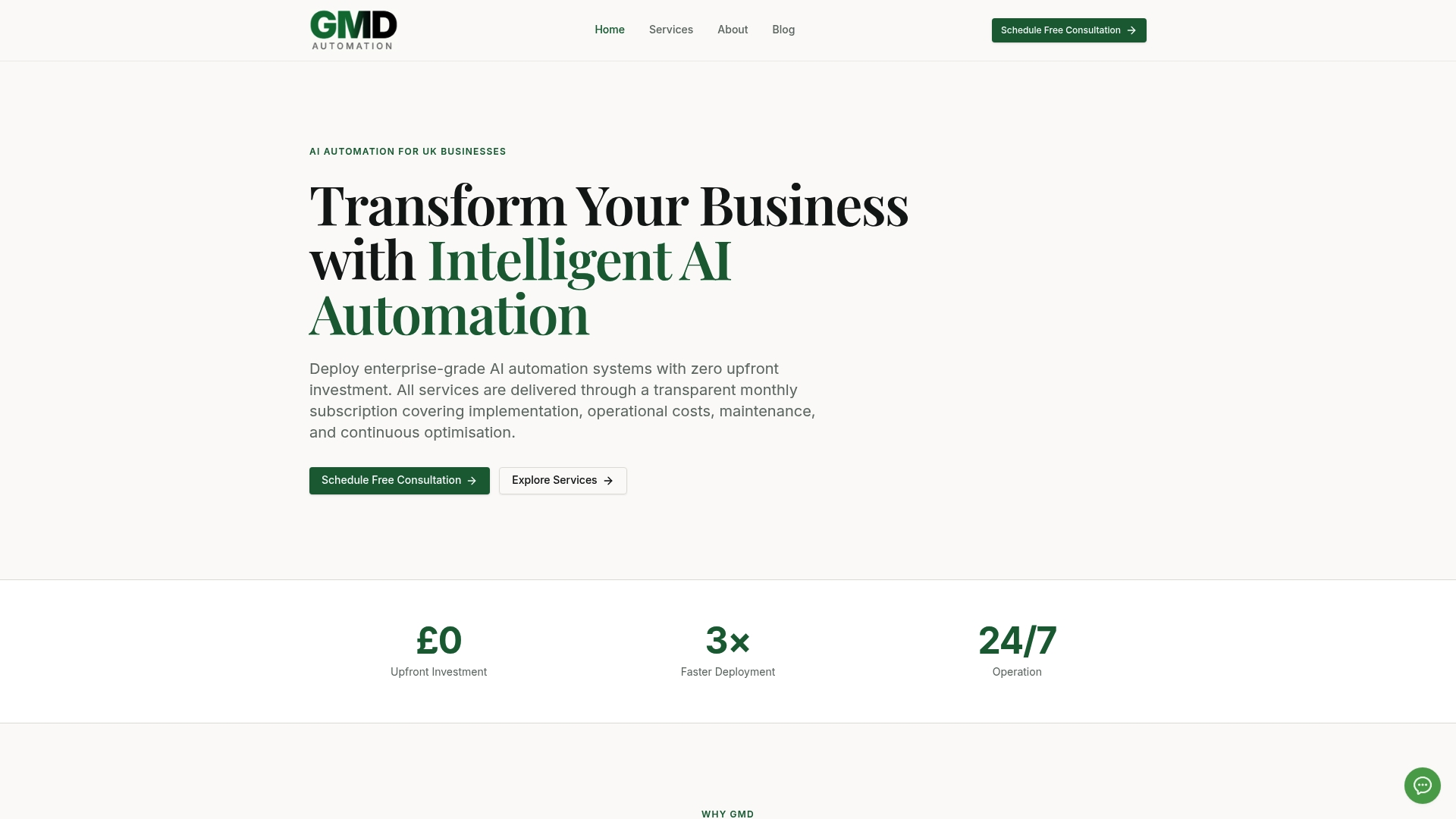
Against the evaluation criteria this article has walked through, GMD Automation maps directly:
- Best for scale: built for organisations running multiple shared or departmental inboxes, not a single-user tool.
- Pricing model: predictable subscription, implementation and ops bundled in, no separate setup invoice.
- SLA and support: service-level commitments and an ongoing support relationship rather than a one-off deployment.
- Security and certifications: production systems designed around the runtime isolation and audit-trail principles covered above.
- Integrations: native connections into CRM, ERP and ticketing environments.
- Customisation and optimisation: ongoing tuning included as part of the subscription, not billed as change requests.
If your team has read this far, you already have enough to bring security and procurement into the room. The next step is a demo. Visit GMD Automation to request one and scope a pilot against your own inbox volumes.
A practitioner's view on what actually derails these projects
The recurring failure pattern in enterprise inbox automation isn't the AI getting triage wrong. It's organisations underestimating how much of the work is change management, not technology. A perfectly accurate agent that nobody trusts to send a draft reply delivers zero value, no matter how good the underlying model is.
The operational trade-off worth understanding early: more automation autonomy means faster time savings but higher governance overhead, while more human-in-the-loop review means slower rollout but easier internal buy-in. Most organisations should start conservative, prove accuracy over a few weeks, then loosen the approval requirements as trust builds. Trying to launch at full autonomy from day one is the single most common reason pilots get shelved.
Change management matters just as much as the technical build. Staff who feel an AI agent is quietly grading their inbox habits will resist it, sometimes by working around it. The deployments that succeed treat the agent as a colleague that handles the repetitive first pass, freeing staff for judgement calls, and they communicate that framing clearly before go-live rather than after complaints start.

If your organisation is weighing this decision, get in touch for a demo and a straight answer on whether a pilot makes sense for your inbox volumes.
Key takeaways and next steps
A managed, enterprise-grade AI inbox management subscription outperforms DIY tools whenever shared inboxes carry SLA, compliance or high-volume routing requirements.
| Point | Details |
|---|---|
| Managed beats DIY at scale | Fragile scripts and inconsistent data models break down once multiple shared inboxes and compliance rules are involved. |
| Security controls are non-negotiable | Demand runtime isolation, human-in-the-loop approval and full audit trails before signing anything. |
| Pilots de-risk the decision | A four to six week pilot on one inbox proves accuracy and ROI before wider rollout. |
| KPIs make ROI concrete | Track actionable inbox reduction, first-response time and SLA compliance from day one of any pilot. |
| GMD Automation offers a ready route | Its zero-upfront subscription covers implementation, ops and optimisation, with a demo available to validate fit. |
Next steps to copy into a procurement document:
- Confirm your top three shared inboxes by volume and SLA sensitivity.
- Loop in security and procurement before any vendor call, using the checklist above.
- Request a demo or scoped pilot from a managed provider, GMD Automation included.
- Set pilot success criteria in writing: triage accuracy, response time, zero critical errors.
- Review pilot results against the KPI table before committing to a wider rollout.
Sources
The claims in this article draw on adoption data, security guidance and ROI framing from the following sources, each worth a closer read if your team needs to verify figures for an internal business case.
- AI Email Management Stats 2026: Win Back | Stealth Agents
- AI Email Management Cost: The Full ROI Analysis — AssistantAI Blog