

Business process automation (BPA) is the use of software and AI to replace manual, repetitive tasks across workflows that span multiple teams and systems. The case for choosing to automate business processes has never been clearer: 40% time savings on repetitive workflows are achievable with AI-powered automation, and that figure translates directly into capacity your business can redeploy. For business owners and managers under pressure to do more with the same headcount, BPA is not a luxury. It is the operational standard that separates efficient organisations from those stuck in administrative drag. Gmdautomation works with UK businesses to deploy exactly this kind of AI-driven automation, without the capital risk.
Why automate business processes in the first place?
The core reason to automate business processes is simple: manual work is slow, inconsistent, and expensive. Every time a person copies data from one system to another, chases a colleague for a status update, or re-enters information already captured elsewhere, the business pays twice. It pays for the time spent, and it pays again when errors surface downstream.
BPA removes that double cost. Repetitive, rules-based tasks such as data entry, routing, and approvals are the clearest targets. When those tasks run automatically, staff shift their attention to judgement-heavy work: client relationships, problem-solving, and decisions that require context a machine cannot replicate.

The industry term "business process automation" covers a wide spectrum, from simple rule-based triggers to AI agents that adapt to changing inputs. What unites every application is the same goal: reduce friction, increase consistency, and free human capacity for work that actually requires a human.
What are the main benefits of automating business processes?
Time savings and capacity gains
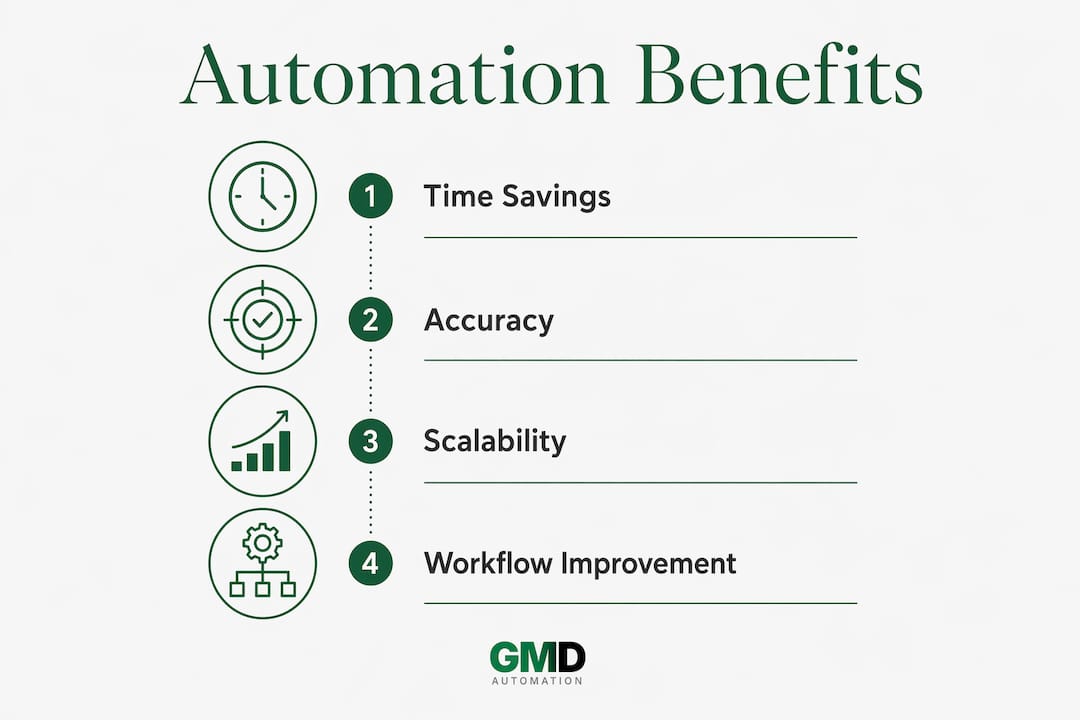
AI-powered workflow automation delivers at least 40% time savings on repetitive tasks by replacing manual coordination. That is not a marginal improvement. For a team spending 20 hours a week on administrative tasks, it means recovering eight hours every week, without adding headcount.
The compounding effect matters too. Time saved in one workflow frees capacity that feeds into the next. A finance team that automates invoice matching can redirect attention to cash flow analysis. A sales team that automates lead routing can spend more time closing.
Accuracy and data consistency
Automation maintains consistent data flow across systems, reducing errors caused by manual copy-pasting or re-entry. This is one of the most underrated benefits of process automation. A single transposition error in a customer record can cascade into billing mistakes, compliance gaps, and damaged trust.
Automated systems apply the same logic every time, without fatigue or distraction. The result is cleaner data, fewer corrections, and audit trails that satisfy compliance requirements without extra effort.
Scalability without proportional cost
Manual processes scale linearly: double the workload, double the headcount. Automation breaks that relationship. A workflow that handles 100 transactions per day can handle 1,000 with the same configuration, provided the underlying system is built correctly.
This matters most during growth phases or seasonal peaks. Businesses that automate repetitive tasks absorb volume increases without the recruitment lag that slows manual operations.
Pro Tip: Before calculating ROI on automation, map your current headcount hours spent on the target process. Even a rough estimate makes the business case concrete and defensible to stakeholders.
How does automation reduce bottlenecks and improve workflows?
Manual handoffs are the primary source of process drag. When one team finishes a task and must notify another, the gap between completion and pickup is dead time. That dead time accumulates across every project, every day.
Automating routing and task assignment shrinks that dead time significantly. The moment one step completes, the next responsible party receives the task automatically, with all relevant context attached. No chasing, no waiting, no dropped threads.
The impact on project timelines is measurable. Automated routing can reduce cross-departmental project duration from six weeks to four weeks by eliminating manual status update delays. That is a 33% reduction in delivery time without changing the actual work content.
Manual vs automated process: a comparison
| Process element | Manual approach | Automated approach |
|---|---|---|
| Task routing | Email or verbal handoff | Instant automatic assignment |
| Status updates | Manual check-ins and meetings | Real-time dashboard or notifications |
| Data entry | Re-keyed between systems | Synced automatically across platforms |
| Error detection | Spotted during review cycles | Flagged at point of entry |
| Project duration | Six weeks (example baseline) | Four weeks with routing automation |
The table above reflects a pattern seen consistently across real-world automation cases: the biggest time gains come not from speeding up individual tasks but from eliminating the gaps between them.
Pro Tip: Audit your last three completed projects and note every point where a task sat waiting for a handoff. Those waiting points are your highest-value automation targets.
What pitfalls should businesses avoid when automating?
Automation amplifies whatever process it runs on. If the workflow is flawed, automation scales those flaws faster and at greater volume than any manual team could. This is the most common and most costly mistake businesses make.
The fix is straightforward but often skipped: audit and refine workflows before applying automation. Map the process end to end, identify where errors originate, and correct the logic first. Automation is then applied to a clean, tested process rather than a broken one.
Three other pitfalls appear repeatedly:
- Automating entire jobs rather than specific tasks. Successful automation focuses on repetitive components such as data entry and routing, not entire roles. Trying to automate a job that involves judgement, exceptions, and relationship management produces brittle systems that fail unpredictably.
- Ignoring exception handling. Every real-world process encounters edge cases. Automation without escalation logic creates silent failures: the system does not crash, but the exception goes unhandled and unnoticed until the damage is done.
- Skipping change management. Teams that are not involved in designing automation resist using it. Adoption falls, workarounds emerge, and the efficiency gains evaporate.
Automation is primarily about removing administrative bottlenecks between departments, not deploying technology for its own sake. The question to ask is not "what can we automate?" but "where does work get stuck, and why?"
That reframe changes the entire approach. It shifts focus from tools to processes, and from features to outcomes.
How can businesses implement automation for maximum impact?
Step 1: Map your processes end to end
Detailed process mapping before deploying automation reveals bottlenecks and repetitive tasks that are genuine candidates for automation. Start with one workflow, not the entire operation. Choose a process that is high volume, well understood, and currently causing measurable delays.
Step 2: Deploy AI agents within existing workflows
Context-aware AI agents that work where teams already operate prevent context switching and improve adoption. The worst automation projects require staff to learn a new platform, log into a separate system, and change their working habits entirely. The best ones feel invisible because they fit into existing tools.
Gmdautomation builds AI systems that integrate with the platforms UK businesses already use, reducing the friction that kills adoption in the first month.
Step 3: Empower the people closest to the work
Teams that build their own automation without heavy IT dependencies deploy faster and produce better-aligned workflow logic. The person processing invoices every day knows where the exceptions occur. The person handling customer queries knows which responses are templated and which require judgement. Give those people the tools to automate their own repetitive work, and the results are both faster and more accurate.
Step 4: Monitor, measure, and iterate
Automation is not a one-time deployment. Processes change, volumes shift, and edge cases emerge that were not anticipated at launch. Build monitoring into the workflow from day one. Track error rates, processing times, and exception volumes. Adjust the configuration as the process evolves.
For practical examples of automation pipelines in action, the step-by-step breakdowns show exactly how UK businesses structure these workflows from initial trigger to final output.
Pro Tip: Set a 90-day review for every automation you deploy. Check whether the original problem is solved, whether new bottlenecks have appeared downstream, and whether the exception rate is acceptable.
Key takeaways
Business process automation delivers its greatest value when applied to clean, well-mapped workflows with clear rules, consistent data, and human oversight at exception points.
| Point | Details |
|---|---|
| Start with process mapping | Audit workflows before automating to avoid scaling existing flaws. |
| Target repetitive tasks first | Focus on data entry, routing, and approvals rather than entire roles. |
| Measure time savings | AI-powered automation can recover 40% of time spent on manual coordination. |
| Build in exception handling | Include escalation logic to catch edge cases before they become silent failures. |
| Iterate after deployment | Review automation performance at 90 days and adjust as processes evolve. |
Automation and the human element: what I have learned
After working with businesses across a range of sectors, the pattern I see most often is this: the organisations that get the most from automation are not the ones with the most sophisticated technology. They are the ones that took the time to understand their own processes before touching a single tool.
Automation does not replace human creativity or empathy. It removes the administrative weight that stops people from applying those qualities at work. When a project manager is not spending two hours a week chasing status updates, they spend those two hours thinking about risk, stakeholder relationships, and delivery quality. That is the real return on investment.
The teams that struggle are the ones that treat automation as a shortcut. They automate a broken process and wonder why the problems persist. Or they automate too broadly, too fast, and create a system so rigid it cannot handle the first unusual situation it encounters.
The most durable approach I have seen is gradual and controlled. Automate one workflow. Measure it. Fix what breaks. Then move to the next. That pace feels slow at the start, but it builds the organisational confidence and technical understanding that makes every subsequent automation faster and more effective.
The human element is not a limitation of automation. It is the thing that makes automation worth doing.
— Ravi
How Gmdautomation helps UK businesses automate effectively
Gmdautomation delivers AI automation for UK businesses through a subscription model that covers implementation, operation, and ongoing optimisation with no upfront capital cost. The systems integrate with existing platforms, so there is no disruptive migration or retraining burden. Every deployment includes governance and compliance controls built to enterprise standards, which matters particularly for UK firms operating under sector-specific regulatory requirements. For business owners who want to see what AI automation outcomes look like in practice before committing, Gmdautomation provides a live demo agent built on the same systems used in client deployments.
FAQ
What is business process automation?
Business process automation (BPA) is the use of software and AI to replace manual, repetitive tasks across multi-step workflows. It reduces errors, speeds delivery, and frees staff for higher-value work.
How much time can automation save?
AI-powered automation can deliver at least 40% time savings on repetitive tasks by replacing manual coordination. The exact figure depends on the volume and complexity of the workflows targeted.
Should businesses automate entire jobs or specific tasks?
Automation works best on specific, rules-based tasks such as data entry, routing, and approvals. Automating entire roles fails because most jobs contain exceptions and judgement calls that rules-based systems cannot handle reliably.
What is the biggest mistake businesses make when automating?
The most common mistake is automating a flawed process without fixing it first. Automation scales whatever workflow it runs on, so existing errors multiply rather than disappear.
How do businesses know which processes to automate first?
End-to-end process mapping reveals where bottlenecks and repetitive tasks concentrate. High-volume, rules-based workflows with frequent manual handoffs are the strongest starting points for automation.