

Yes. Feed a generator a tight three-line brief, covering goal, audience and constraints, and it will produce a usable calendar within minutes. The next move is simple: run that brief through a template like Airtable's or, if you need governance and integration handled properly, talk to a managed automation partner such as GMD Automation.
TL;DR:
- Generating a content calendar with AI is quick and effective for campaigns that require rapid, repetitive, or repurposed content, but needs human oversight for brand nuance and compliance.
- Effective briefs should be concise, specify clear goals, target audiences, and constraints to produce relevant and useful post ideas and scheduling recommendations.
- Review all AI-generated ideas thoroughly for accuracy, tone, and brand consistency, especially when expanding briefs into multi-platform content or large-scale campaigns.
- Use small test batches, analyze engagement data, and refine briefs regularly to improve content relevance, timing, and overall performance over time.
- Implementing a managed AI content workflow from a partner like GMD Automation offers ongoing optimization, governance, and integration, reducing manual effort and preventing off-brand mistakes.
Table of Contents
- What is an AI content calendar and when should you use one?
- How do AI calendar generators and templates actually work?
- How do you go from one brief to a full calendar?
- What content mix, cadence and timing actually work?
- Which tools and templates should you actually pick?
- How does a managed AI partner put this into production?
- What should you check before you commit to a workflow?
- Ready to put an AI content calendar into production?
- Sources
What is an AI content calendar and when should you use one?
An AI content calendar uses machine learning to turn a brief into post ideas, a posting schedule and platform-specific variants, rather than a blank grid you fill in by hand. The AI content calendar template from Airtable, for instance, generates ideas and assigns deadlines automatically inside a dashboard your team can already collaborate in.
Where it earns its keep:
- Launching a campaign fast, when you need 20 posts drafted before a product ships
- Running always-on social content where the format barely changes week to week
- Repurposing long-form content (a webinar, a report) into weeks of smaller posts
- Powering short content sprints when a small team is stretched thin
Where it falls short: brand nuance, anything touching regulated claims (finance, health, legal), and genuinely original creative concepts still need a human hand on the wheel.
How do AI calendar generators and templates actually work?
Most tools follow the same logic, whether you're using a simple template or a full generative planner. You give the system inputs; it returns structured outputs; you push those outputs somewhere else to get published.
- Inputs: your brief, target keywords, audience description, brand voice notes, campaign objectives, and any hard constraints (no competitor mentions, compliance language, seasonal dates).
- Outputs: post ideas, draft captions, hashtag suggestions, platform-specific variants, and recommended posting times.
- Integration: outputs typically leave the tool as CSV exports, through scheduler APIs, or synced directly into a shared calendar so a team can assign owners and dates.
Some planners go further, expanding a single campaign brief into multi-platform posts complete with formats and timing, while others stick to structured fields you fill and track manually, closer to what Jasper describes as building a calendar around defined content pillars.
Worth knowing before you rely on any of this: models are sensitive to how you phrase a prompt, they can hallucinate details that sound plausible but aren't true, and longer briefs sometimes get truncated against token limits. None of that is a reason to avoid the tools. It's a reason to review every batch before it goes live.
How do you go from one brief to a full calendar?
The process is genuinely repeatable once you've done it twice. Here's the sequence that works.
- Write a concise brief. State the goal (leads, awareness, launch support), the audience, and any hard constraints. Three lines is usually enough. Vague briefs produce vague calendars.
- Pick your cadence and scope. Decide whether you're planning one week, a four-week cycle, or a full campaign arc. Scope creep here is where most calendars stall.
- Run the generator and read every idea. Don't just accept the output. Scan for anything off-brand, factually shaky, or simply dull.
- Adapt per platform. A LinkedIn post and an Instagram Reel script need different lengths, tones and hooks even when they share the same core idea.
- Export and assign. Push the calendar into your scheduler, or a shared sheet, with named owners and firm dates attached to each post.
- Collect performance data and refine. Feed engagement numbers back into your next brief. This is the step almost everyone skips, and it's the one that actually improves results over time. A repeatable brief-to-calendar habit, used consistently, beats a perfect one-off plan every time.
Pro Tip: Run a small batch first, five to ten posts, publish, measure, then generate the next batch with what you learned baked into the brief. Treating the calendar as a one-shot document is the single biggest reason AI-generated plans underperform.
What content mix, cadence and timing actually work?
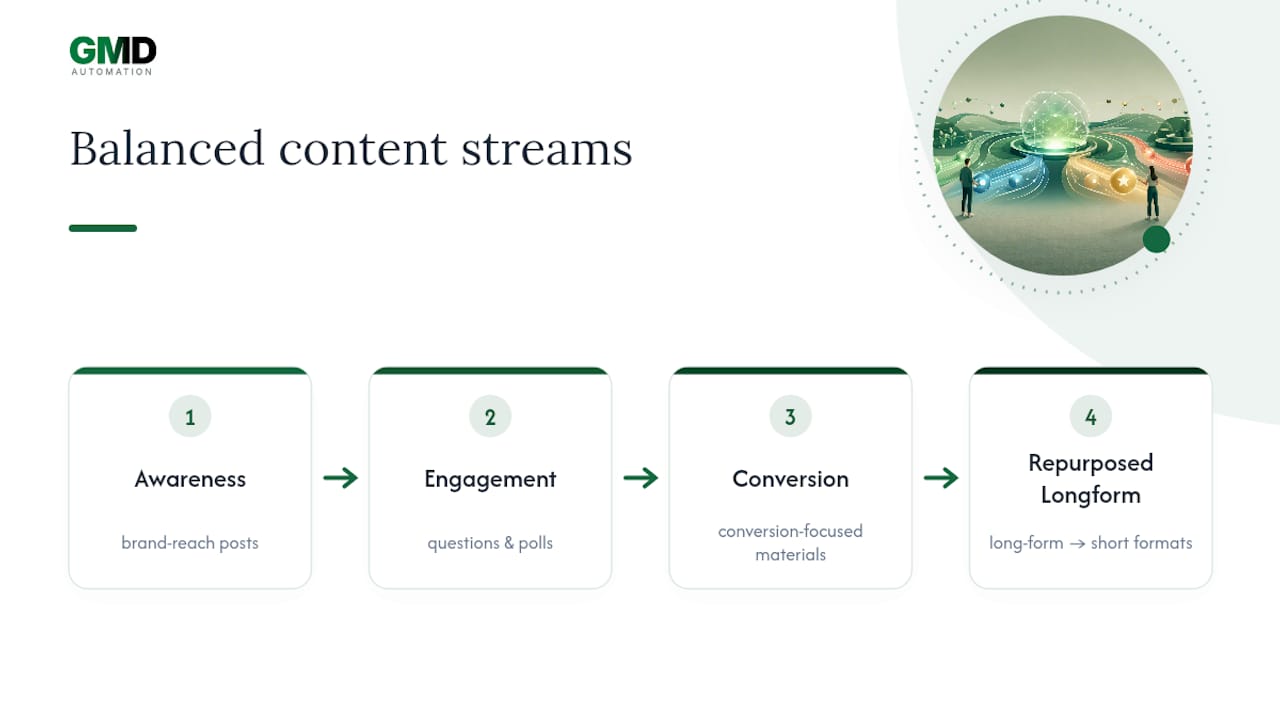
A workable split for most brands balances awareness content, engagement posts like questions and polls, conversion-focused materials, and repurposed long-form content spread across formats.
Cadence depends entirely on capacity, not ambition. Solo creators tend to post several times a week on one or two platforms; small teams might post daily on a primary channel and a few times weekly on secondary channels; larger marketing teams typically post multiple times daily across several platforms, with dedicated owners per channel.
On timing, don't guess. Pull your own audience analytics first, run small A/B tests on posting windows, and adjust gradually rather than overhauling the whole schedule after one bad week. Platform rules differ too: a hook that works in the first line of a LinkedIn post dies instantly on TikTok, where the first two seconds of video carry all the weight. Build a quick platform checklist, format, length, tone, ideal posting window, and check every AI-generated draft against it before it ships.
Which tools and templates should you actually pick?
Four categories cover almost everything on the market:
- Simple templates (spreadsheet or Airtable-style boards) for teams that need structure and tracking, not generation
- AI planners that generate ideas and variants from a brief, useful when your team lacks content capacity
- Schedulers with AI features bolted on, good for publishing but limited on strategic planning
- Managed platforms, where a partner handles generation, governance and publishing as one service
Evaluate any option against five things: how well it learns your brand voice over time, how many platforms it actually covers natively, what export formats it supports, whether your team can collaborate inside it, and how much control you retain over data and approvals.
A template is genuinely enough if you have people to write the copy and just need organisation. Airtable's collaborative fields and owner assignments cover that case well, since a template-driven setup reduces the cognitive load of tracking who owns what. Step up to a full AI planner or a managed partner once you need volume, multi-platform variants, or governance you can't maintain manually.
How does a managed AI partner put this into production?
Running an AI content calendar at scale is less about the generation step and more about what happens around it: brand training, approvals, and integration into tools you already use.
GMD Automation's approach to production deployments includes:
- Brand onboarding: encoding tone, banned phrases and approved messaging as system-level rules, so outputs don't drift off-brand batch to batch
- Governance: connecting schedulers, your CMS and an approval step before anything publishes
- Predictable operations: rapid deployment under a fixed monthly subscription that covers implementation, ongoing optimisation and support, with no separate build fee
- Compliance layers: guard rails and pre-approved copy variants that stop off-brand or risky content reaching a live channel unchecked
If you're weighing up localisation as part of a wider rollout, it's worth looking at how multilingual content production handles brand consistency across markets before you commit to one workflow.
What should you check before you commit to a workflow?
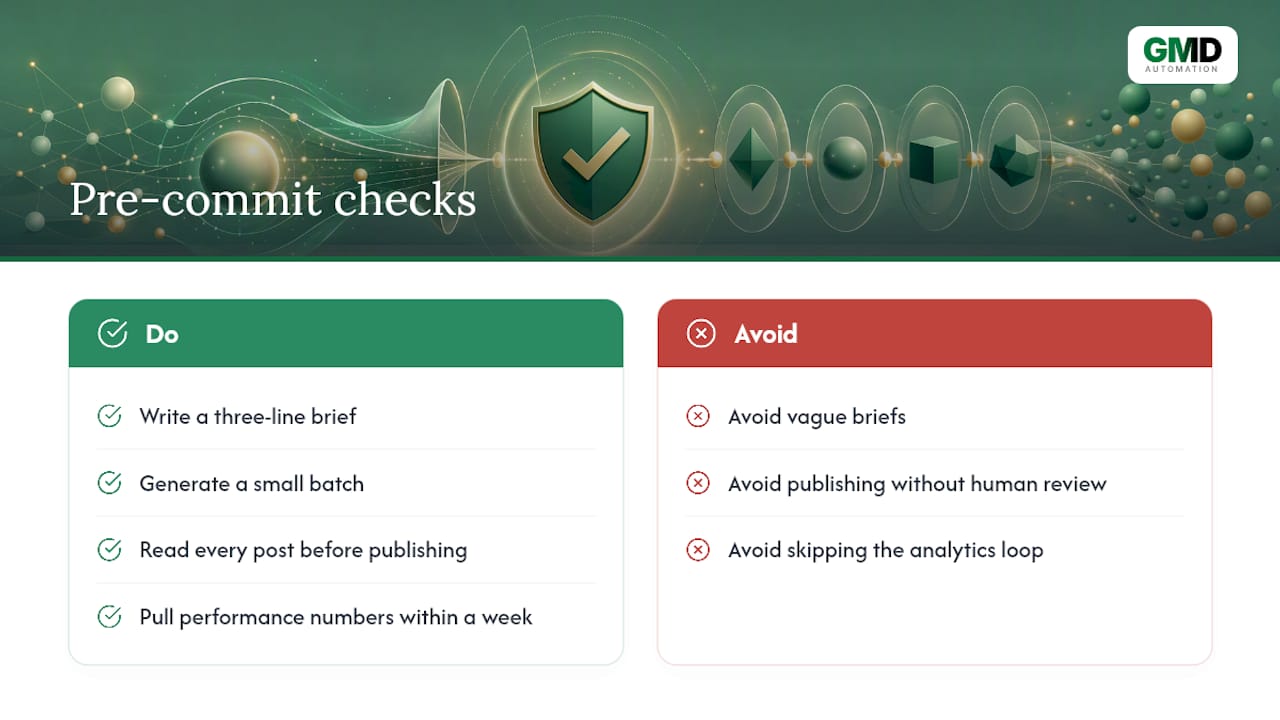
Three mistakes account for most of the poor results I see with AI content calendars. Vague briefs top the list. "Write us some social posts" gives you generic output every time. Over-automation is second: publishing everything a generator produces without a human read-through is how off-brand or inaccurate content reaches an audience. Skipping the analytics loop is third. Generate once, publish, and never look at what worked, and you've built a calendar that can't improve.
For your first two campaigns, keep a short checklist: write a three-line brief, generate a small batch, read every post before it ships, publish, and pull performance numbers within a week. Escalate to a managed partner once volume, compliance needs or platform count outgrow what your team can review manually.
— Ravi
Ready to put an AI content calendar into production?
If you've been piecing together a template here and a scheduler there, GMD Automation replaces that patchwork with one system that handles brand voice, approvals and publishing together, at a fixed monthly cost with no upfront build fee. That's the real difference versus stitching together a free template and a separate scheduling tool yourself: one partner owns the whole workflow, from brief to published post, and keeps optimising it as your results come in.
The subscription covers implementation, day-to-day operation, and ongoing tuning as your content performs (or doesn't) in the real world, with support built in rather than billed separately. Setup connects to your existing schedulers and CMS, so nothing about your current publishing process needs to be rebuilt from scratch. If you want to see how a governed, production-ready calendar workflow would actually run for your brand, book a demo with GMD Automation and get a straight answer on what it would take to deploy one.